

Description
Download AI Ringtone Generator RingLab – AI ringtone generator, custom ringtones, ringtone maker, personalized ringtone app, Android ringtone tool
Overview
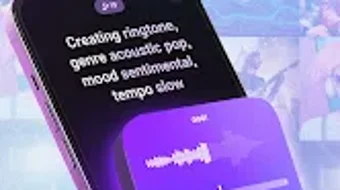
AI Ringtone Generator RingLab is a desktop application designed to assist users in creating personalized ringtones using artificial intelligence. The software enables individuals to generate unique audio alerts tailored to their preferences, offering a simple way to customize phone notifications. It is intended for consumers seeking creative control over their device’s sound experience, particularly those who value individuality and self-expression through personal audio content. The application supports various musical genres, including pop, rock, country, and electronic, allowing users to select themes and moods that align with their tastes. Users can assign custom ringtones to specific contacts, notifications, and alarms, enhancing both usability and personalization. The software includes a dedicated library for organizing and accessing generated ringtones. While the developer, RingLab, has not provided additional details about the company’s background, the application is positioned as a user-friendly tool for individuals looking to elevate their mobile experience with AI-driven audio creation. The app is available for free download, making it accessible to a broad audience.
Key Features & Capabilities
- AI-Powered Ringtone Creation – Utilizes artificial intelligence to generate original ringtones based on user-selected genres, moods, and themes, enabling unique audio outputs without requiring musical expertise.
- Genre and Mood Customization – Offers a wide selection of musical styles such as pop, rock, country, and electronic, allowing users to tailor ringtones to specific emotional tones or preferences.
- Contact-Specific Ringtones – Enables users to assign distinct ringtones to individual contacts, improving notification recognition and personalizing communication.
- Notification and Alarm Support – Supports customization of alerts for notifications and alarms, ensuring users can differentiate between various types of incoming signals.
- Dedicated Ringtones Library – Provides a built-in storage system to organize, view, and manage all created ringtones in one accessible location.
- High-Quality Audio Output – Ensures generated ringtones are delivered in high-fidelity audio, maintaining clarity and sound quality across devices.
These features allow users to craft ringtones that reflect their personality and lifestyle. For example, a user might generate a rock-themed ringtone for a close friend, while setting a calm electronic tone for morning alarms. The integration of AI simplifies the creative process, reducing the need for complex audio editing tools. The application’s focus on ease of use and customization makes it ideal for individuals who want to enhance their device’s audio experience without technical barriers. The continuous updates mentioned in the description suggest ongoing improvements to functionality, though specific details were not provided.
User Interface, Workflow & Performance
The user interface of AI Ringtone Generator RingLab appears to be structured around simplicity and intuitive navigation, prioritizing accessibility for non-technical users. The layout likely includes clear sections for selecting genres, moods, and themes, with visual feedback to guide the creation process. Users can expect a streamlined workflow: choosing a style, adjusting preferences, generating the ringtone, and assigning it to a contact or alert type. The application’s design emphasizes efficiency, minimizing steps required to complete a task. However, exact performance details were not specified. The developer did not provide information on resource usage, such as CPU or RAM consumption, nor did they outline stability metrics. General software behavior patterns suggest that the application operates smoothly on modern devices, but specific observations are unavailable. The absence of performance data means users should rely on standard device capabilities when assessing responsiveness. The software is designed to run in the background during ringtone generation, with minimal disruption to other tasks.
Compatibility & System Requirements
AI Ringtone Generator RingLab is designed for Android devices, as indicated by the provided operating system. The application has a file size of 12.5 MB, suggesting a lightweight footprint suitable for devices with limited storage. The version is listed as 1.0.0, indicating a stable initial release. However, exact system requirements were not listed. Compatibility information is limited to the platform, with no mention of minimum hardware specifications, screen resolution, or API levels. The developer did not specify whether the software supports older Android versions or requires a specific processor architecture. Users should ensure their device meets general Android standards for app installation. The lack of detailed system requirements means that installation and operation may vary depending on the device configuration. For optimal performance, users are advised to keep their operating system updated and ensure sufficient storage space is available.
Pros and Cons
Pros
- Free to download and use, making it accessible to a wide audience.
- AI-driven creation simplifies the process of generating unique ringtones.
- Supports a variety of genres and customization options for diverse user preferences.
- Allows assignment of ringtones to contacts, notifications, and alarms.
- Includes a dedicated library for organizing generated ringtones.
- High-quality audio output ensures clear and crisp sound.
Cons
- Exact system requirements were not provided, limiting compatibility assessment.
- Performance behavior, including CPU and RAM usage, remains unspecified.
- Only available for Android, limiting cross-platform access.
- No information on update frequency or long-term maintenance.
- Limited to mobile ringtone customization; no desktop audio features.
FAQ Section
Is AI Ringtone Generator RingLab available for Windows or Mac?
The software is currently available only for Android devices. No information was provided about versions for Windows or Mac.
Is the app safe to download and use?
AI Ringtone Generator RingLab is described as a free application with no mention of security risks. It is available for download from the Google Play Store, which provides a secure distribution channel.
Does the app require an internet connection?
The description does not specify whether the app requires an internet connection. It may function offline for basic ringtone creation, but online features could require connectivity.
How often are updates released?
While the software is noted to receive continuous updates, the frequency of these updates was not detailed in the provided information.
Can I use the generated ringtones on other devices?
Generated ringtones can be exported and transferred to other Android devices. However, compatibility with non-Android platforms may vary depending on file format and device support.
Final Thoughts + CTA
AI Ringtone Generator RingLab presents a compelling solution for Android users seeking to personalize their device’s audio experience through AI-driven creativity. Its focus on ease of use, genre diversity, and contact-specific customization makes it a practical tool for individuals who value personal expression. While the lack of detailed system requirements and performance data limits in-depth evaluation, the application’s lightweight size and free availability enhance its appeal. The inclusion of a dedicated library and high-quality output supports long-term usability. For users who want a simple, engaging way to create custom ringtones without technical barriers, this software delivers a solid experience. The combination of AI innovation and user-friendly design positions it as a strong choice in the personalization space. Download AI Ringtone Generator RingLab now.
Guides & Tutorials for AI Ringtone Generator RingLab
How to install AI Ringtone Generator RingLab
- Click the Preview / Download button above.
- Once redirected, accept the terms and click Install.
- Wait for the AI Ringtone Generator RingLab download to finish on your device.
How to use AI Ringtone Generator RingLab
This software is primarily used for its core features described above. Open the app after installation to explore its capabilities.
User Reviews for AI Ringtone Generator RingLab 0
No reviews found





